Blender has SpeedTree built in

Look at this. Pretty, right?
Pretty as hell. And I spent more time setting up the camera angle and compositor than working on the tree itself.
When I wanted to learn how to model trees as a total beginner I was constantly stumbling upon terrible tutorials like this one (first result of searching for “blender trees” on YouTube) that were pretty much impossible to follow even after spending a considerable amount of time in Blender.
When trying to model trees yourself you will soon realize that modeling countless tree branches by hand is so cumbersome you’d rather buy SpeedTree to do it for you — but you don’t have to!
Introducing the Sapling Tree Gen — it’s included in Blender by default!* To enable it
Go to Edit > Preferences > Get Extensions
Type in “Sapling Tree Gen”, then click install
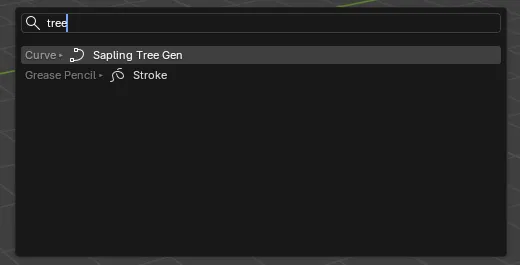
Then you can ctrl + a as usual and search for “tree”
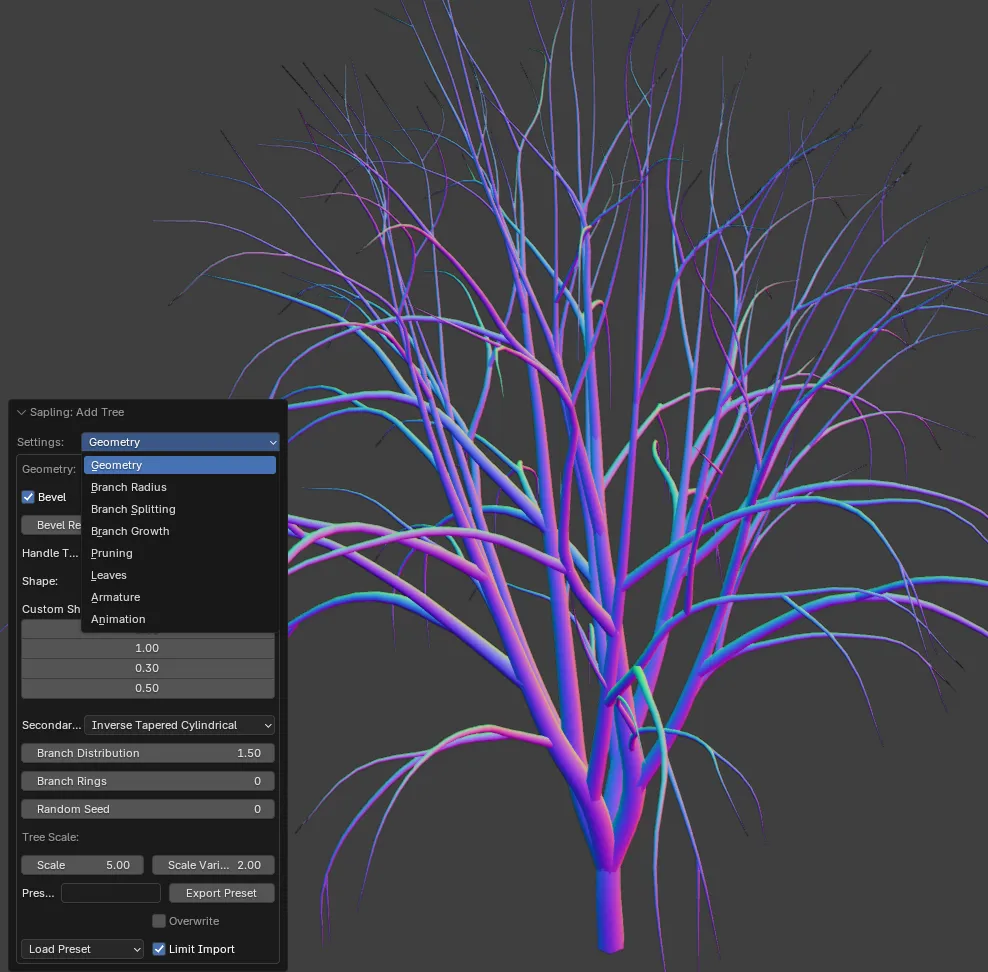
How to get these fancy colors on your model?
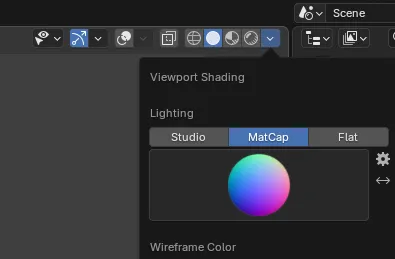 This is insanely useful to help you see the directions of surfaces
This addon gives you so many options you won’t know where to start.
Thankfully, it has some presets built in!
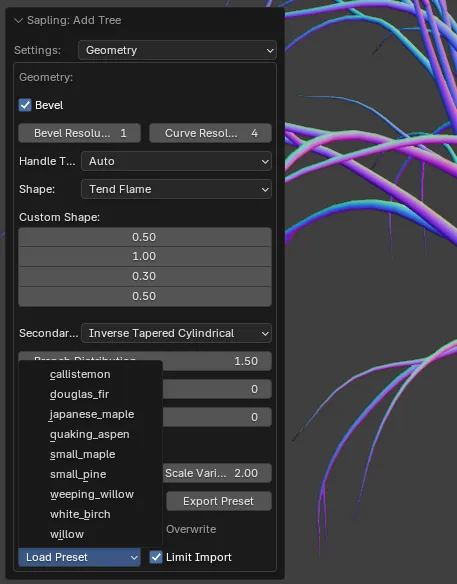
I chose the Japanese maple because I happen to like Japan and the tree turned out to look nice.
Add leaves
Without leaves, the tree looks a bit empty. We can add leaves in three clicks.
Click Settings > Leaves then check Show leaves
Interestingly, the Japanese maple tree gets these beautiful maple leaves I had no idea about until I written this part of the article.
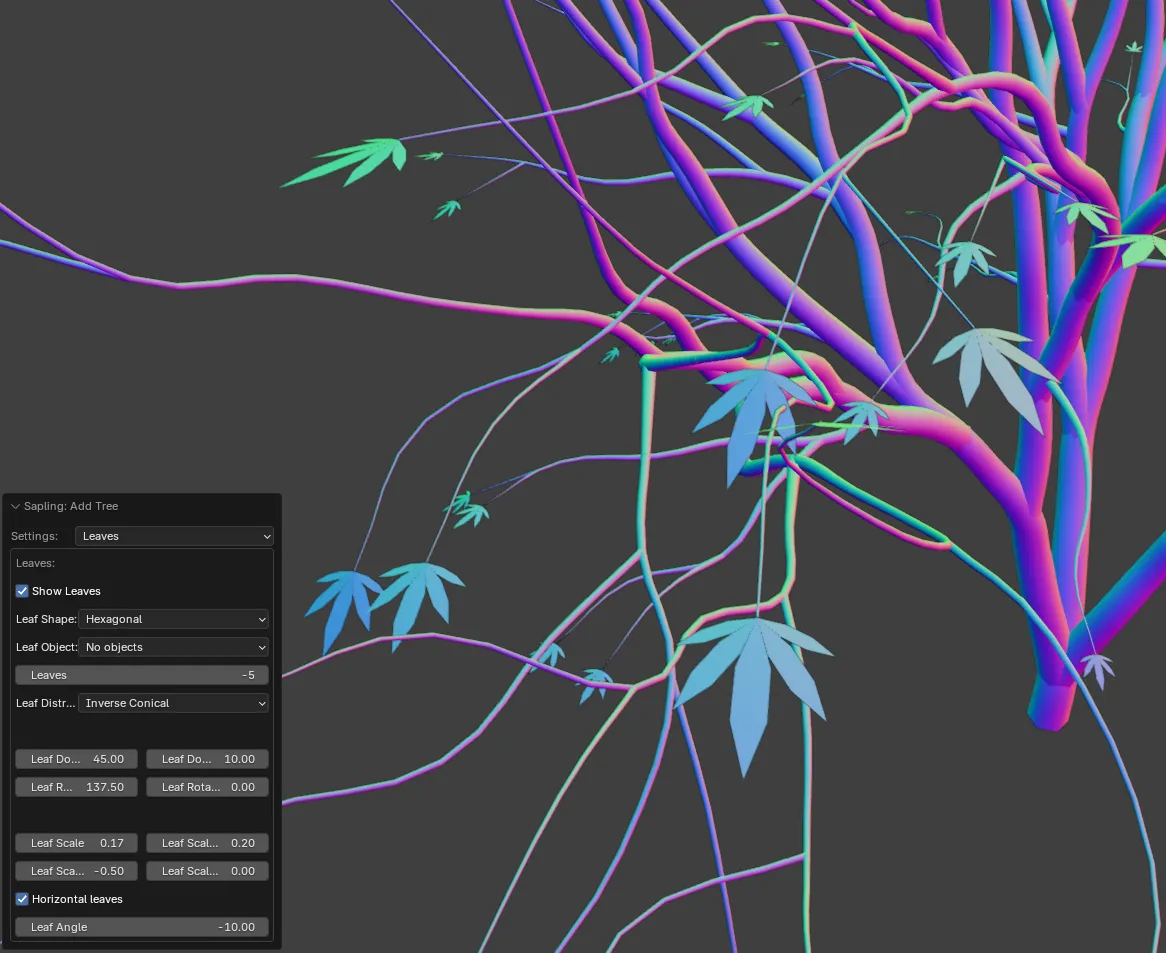
Looks like it’s the Leaves: -5 setting that gives them their look. Very interesting!
That’s it for the basics
I can’t believe that nobody talks about this! I was looking for SpeedTree alternatives for so long and nobody mentioned this addon anywhere! It will also obviously work everywhere as it’s Blender and you have a huge variety of formats to export to, and also all the creative control to structure your assets in any way you want. No more stitching together opacity masks and writing special shaders for it in your engines (happened to me), no more lock-in to the formats that other tree generating software supports, pure Blender goodness.
Happy modeling!
Btw have you noticed that I specifically styled this article to match the heading image’s tree’s colors?
*correction: the addon is no longer built in as of 4.2